
Every DAM comparison table looks the same because every vendor supports metadata, versioning, permissions, search and integrations. The grid is all ticks and it tells you nothing.
Short answer: sort by who the platform was built for, not by what it supports. There are three centres of gravity in this market, brand-led, developer-led and enterprise content operations, and a platform is excellent at the one it was designed around and merely adequate at the other two. Pick the axis that matches where your pain is. If your assets are mostly consumed by software, that means a media API first, which is the category Cloudinary sits in; if your pain is a marketing organisation losing control of brand assets, it does not.
The three centres of gravity
Brand-led. Built around the marketing organisation. Strengths are brand portals, guidelines living alongside the assets, approval workflow, and interfaces that non-technical users adopt without training. Frontify is the clearest example of the type, with brand guidelines as a first-class object rather than a PDF next to the logos. Bynder sits in the same territory with more weight on distribution and creative operations. Choose this shape when your problem is that fifty people are using the wrong logo, not that your build pipeline needs a crop.
Developer-led. Built around the API. Strengths are upload, search and transformation as programmable operations, derivation instead of stored variants, SDK breadth and delivery performance. This is the right answer when assets are consumed by software: sites, apps, feeds, build steps and increasingly agents. The weakness is the same in every product of this type: the human-facing surface is thinner, so brand managers and agency partners need either an embedded widget or a workflow that keeps them out of it.
Enterprise content operations. Built around governance at scale across many content types, not only media. Adobe Experience Manager Assets is the reference point. Strengths are depth of workflow, rights management and integration with a wider content stack. Costs are implementation time and the need for internal specialists. Correct for large organisations with dedicated content operations teams and dramatically wrong for a team of twenty.
There is also a practical fourth group of straightforward mid-market libraries, Canto and Brandfolder among them, that do the core job competently without pushing you toward any of the three extremes. For a lot of teams that is the right purchase, and the reason to know the axes is to recognise when it is not.
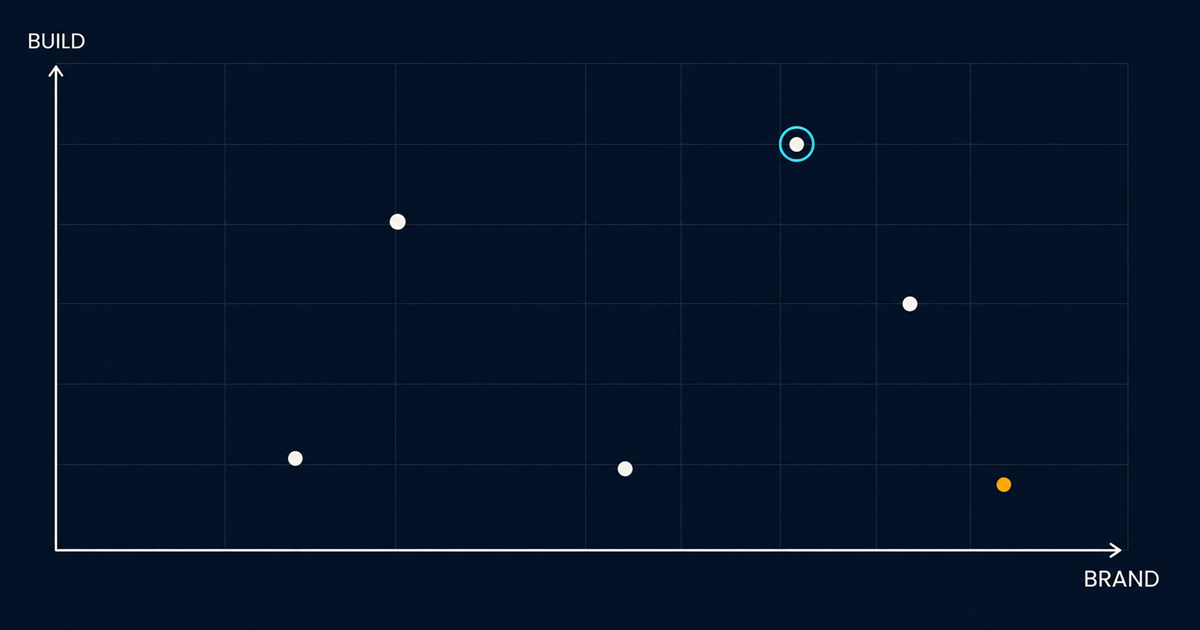
Which axis is yours?
Answer this and the shortlist writes itself: when an asset is needed, who or what is asking for it?
If the answer is a person, in a browser, who then downloads it and puts it somewhere: you are on the brand axis. Optimise for interface quality, portal features and approval workflow. API depth is nice and you will use about ten percent of it.
If the answer is a piece of software requesting a specific variant at render time: you are on the developer axis. Optimise for the API surface, transformation model and delivery. Portal features are nice and your five marketing users will tolerate a plainer interface.
If the answer is both, at scale, across regions and content types with real compliance requirements: you are in enterprise operations and you should be budgeting for implementation partners.
Most teams are more one-sided than they admit. The tell is where the complaints come from.
What actually differentiates, once you are on an axis
Four things, none of which appear as a row in a feature grid.
How opinionated the metadata model is. Some platforms hand you a blank schema and total freedom, which is excellent if you have a taxonomy owner and catastrophic if you do not. Others ship strong defaults you fight against. Neither is better; match it to whether you have the discipline in-house. Either way, metadata is the whole product and the schema model is the thing to interrogate hardest in a demo.
Whether variants are stored or derived. This determines your storage bill, your staleness bugs and how much build tooling you need. Derived-on-request platforms expose it as URL parameters, as in a transformation reference; stored-variant platforms make you manage renditions. It is close to a philosophical split and it affects daily work more than any feature.
SDK and integration breadth. Not the count of logos on the integrations page. Check whether the connector you need is maintained by the vendor or by a partner, and check whether the SDK covers your language properly or is a thin HTTP wrapper someone abandoned.
What it does on ingest without a human. Automated tagging, subject detection, moderation, duplicate detection. This has moved fast and the gap between platforms is now large. It is the difference between a describable library and an aspirational one.
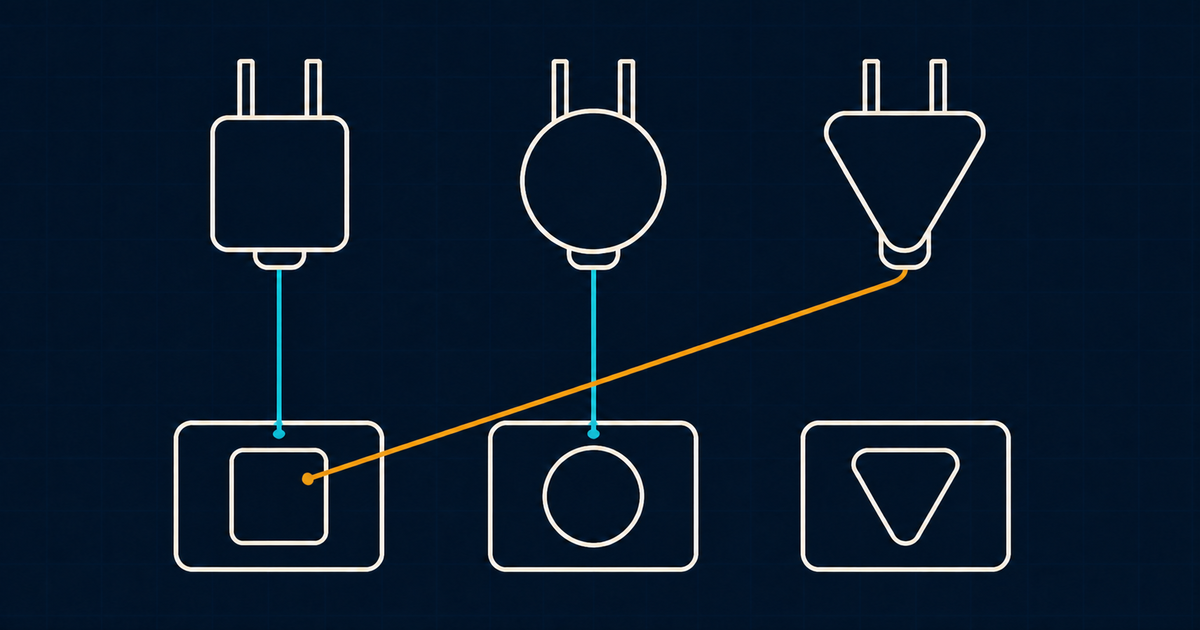
Run the evaluation properly
Vendor demos are theatre. Three things beat a demo, and all of them are cheap.
Bring your own assets. Two hundred real files with your real mess in them, including the badly named ones and the near-duplicates. Every platform looks good on a curated sample.
Write the five queries you actually run. Not “search works” but the specific one about approved landscape product shots not used on the homepage. Make them run it in front of you.
Test the ingest path you will really use. If assets arrive from an agency by the hundred, test a bulk upload with mapped fields, not a drag and drop of three files.
Free tiers and trials make all three possible before procurement gets involved, and the two-week test described in do you need a DAM yet doubles as the first round of this.
The uncomfortable finding
In most shortlists, two or three platforms are genuinely capable of the job and the difference between them is smaller than the difference between implementing well and implementing badly.
A mediocre platform with twelve well-designed fields, a named taxonomy owner and one surface that forces adoption beats an excellent platform with sixty empty fields and no owner. That is not a reason to be careless about selection, but it is a reason to spend more of your energy on the schema and the rollout than on the comparison, and to stop the evaluation once two viable options remain.
Before you start, it is worth being sure about the shape of the thing you are buying: what digital asset management actually is covers that, DAM, CMS and PIM checks you are buying the right category at all, and what a DAM costs has the numbers that do not appear on pricing pages.