Every DAM migration is scoped as a data transfer and delivered as an archaeology project. The copying is trivial. Working out what forty thousand files are is not.
Short answer: your folder paths are metadata in a bad encoding, and extracting them is the migration. Map paths to fields first, move only what is still in use, and leave the archive where it is until someone asks for it. Systems with a real structured metadata layer give you somewhere for the extracted fields to land as typed values rather than as another folder tree that repeats the original mistake.
Your paths already contain the schema
Look at a real path from your drive.
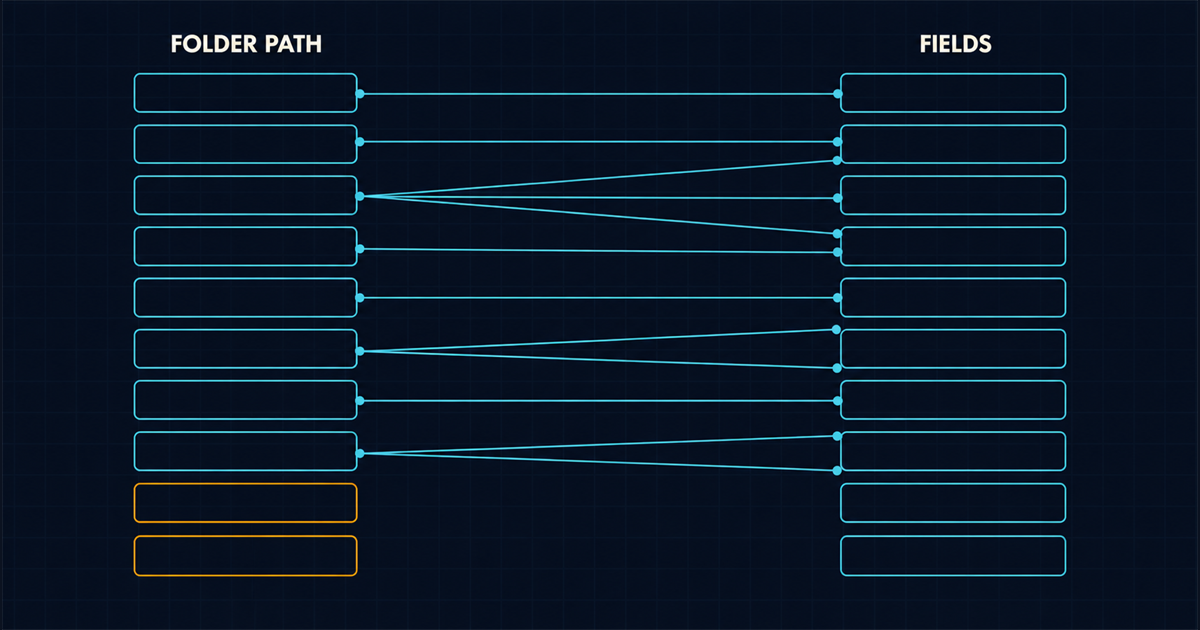
/Marketing/2021/Q3/Campaigns/AutumnLaunch/Photography/Berlin-Shoot/Retouched/AL21_hero_04_FINAL.tifThat string encodes owner, year, quarter, content type, campaign, discipline, location, processing state, sequence and approval state. Ten fields, written by hand, in a format that only a human can parse and that cannot be queried.
Extracting it is mechanical and it is the highest-value hour of the entire project. Sample two hundred paths, find the recurring segments, and write the mapping down before you touch a platform. You will find four or five conventions rather than one, because conventions changed every time the team did, and each one maps separately.
Do the same for the files themselves. Embedded IPTC and XMP fields frequently contain creator, caption and rights that nobody knew were there, particularly on anything that came from an agency or a stock library. Run ExifTool across a sample directory and count how many files already have a description. On photography-heavy libraries the answer is often more than half, and that is a free head start on the field that is otherwise most expensive to backfill.
Do not migrate everything
The instinct is to move the whole drive so nothing is lost. It is the most reliable way to produce a library nobody trusts.
Forty thousand undescribed files in a new system are forty thousand undescribed files with a subscription attached. Worse, they bury the two thousand assets people actually need, so search returns noise and the team goes back to the drive within a month.
A workable split:
- Active set. Anything used, requested or modified in the last eighteen months. This is usually five to ten percent of the drive and it is what gets described properly and migrated first.
- Reference set. Older material with ongoing value: brand history, product ranges still sold, anything with a live licence. Migrate with whatever metadata the path extraction produces, no manual description.
- Archive. Everything else. Leave it on cold storage exactly as it is, with the folder tree intact and a documented path to it. Move individual items on request. Most will never be requested.
That last decision is the one that meets the most resistance and saves the most money. Nobody is deleting anything, which is the actual fear underneath the objection. The archive stays; it just does not get a subscription and a taxonomy.
What order does a migration actually run in?
Four phases, and the second one is wider than the other three combined.
Phase one: audit. Sample paths, sample embedded metadata, count the active set, identify who owns which part of the drive. Two weeks. Produces the path-to-field mapping and a realistic asset count.
Phase two: schema and mapping. Design the field set, define the controlled vocabularies, map every path convention onto it, and validate against a sample of five hundred real assets. This is where the project lives or dies and it always takes longer than planned because it requires agreement rather than work. Keep the schema small: metadata is the whole product, and a schema too large to fill is the same as no schema.
Phase three: bulk ingest. Scripted, idempotent, re-runnable. Upload the active set with mapped fields applied automatically. Use upload presets or the equivalent so that folder, format handling and required fields are enforced server-side and a bad batch cannot poison the library. Expect to run it three times.
Phase four: review and correction. Humans check a sample, fix systematic mapping errors, and backfill the fields that could not be derived. Loop back to phase two when the mapping turns out to be wrong, which it will be for at least one convention.
The two decisions that determine adoption
Everything above is logistics. These two decide whether the library survives its first year.
Decision one: make it the only path to something people already need. If designers can still get the logo from the drive, they will. If the approved logo, the current packshot and the campaign assets only exist in the new system, and the drive becomes read-only on a published date, adoption is not a change-management problem. Pick the surface people cannot route around: often that is the CMS or the storefront pulling exclusively from the new source, which is much easier when assets are fetched by API rather than downloaded.
Decision two: name the taxonomy owner before launch, not after. One person, named, with time allocated, who decides what a field means and rejects values that do not fit. Without that role the controlled vocabularies become free text within six months and you have rebuilt the drive at higher cost. This is the same reason a shared drive fails in the first place: not the tool, the absence of an owner.
Two failure patterns worth naming
The perfect schema. A working group spends five months designing sixty fields covering every conceivable case. Ingest begins, users meet a form with twenty-two required fields, and uploads stop. Ship twelve fields, three of them controlled, and extend from real use.
The pilot that never ends. A department runs a proof of concept, likes it, and nothing changes organisationally because the drive is still there. Pilots need a date on which the old path closes, decided at the start.
Budget the part that is not the licence
The subscription is the visible cost and rarely the largest one. Path mapping, schema agreement, manual backfill, integration work and the taxonomy owner’s ongoing time are all real, and they land in the first year. There is a fuller breakdown, including what the current situation is quietly costing in re-shoots and rework, in what a DAM costs.
If you have not yet committed, it is worth confirming the premise first. What digital asset management actually is sets out what you would be buying, and the migration is a great deal cheaper when you start it two years earlier than this.